Table of Contents
Compatible Wi-Fi/BT Dongle List
This page is a list of tested compatible dongles for Batocera and their tested platform. If your dongle is not listed, it doesn't mean it won't work, just that it hasn't been formally tested yet.
In general, unbranded “clone” dongles, ones that don't explicitly state as supporting Bluetooth Low Energy (BLE) and BT 5.0 have the lowest chance of working. Branded dongles, with support for 4.0 or 2.0 Bluetooth, that explicitly state that they support BLE have the highest chance of working. Of course, there's always a chance that the BT dongle will/won't work irrelevant of these qualifications. With unbranded ones, there's a chance that they just don't have the specifications they list anyway (just because it says it has the same chipset as a tested dongle may not actually guarantee that or that it will work, but it will have a higher chance than one with a different chipset altogether).
If you were looking to troubleshoot your wireless dongle instead, check out both the Wi-Fi and Bluetooth sections on the troubleshooting page respectively.
If you know of another model that is not listed here, please let the moderators on Discord know, or drop a note on the forum. Thank you!
Tested on PC (x86_64)
Wi-Fi
- ThinkPenguin TPE-N150USB Penguin Wireless N USB Adapter for GNU / Linux works with at least Batocera v29 and higher

- TP-Link AC600 Nano Wireless USB Adapter Archer T2U Nano support added in Batocera v36


- ItemRosewill RNX-N150UBE - Tested on a USB 2.0 port
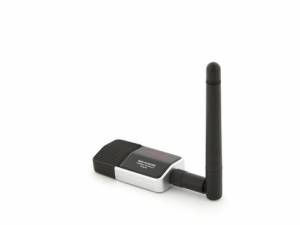
- Linksys WUSB54GC

- Realtek mini 8188 - Tested on a USB 2.0 port

- Odroid Module 0 (MediaTek/Ralink RT5370N chipset)

- Panda Wireless PAUO5 300Mbps

- Panda Wireless Ultra Wifi (b/g/n) 150Mbpx

- TEROW 300 Mbps USB WIFi Adapter/USB2.0 wireless network card


Bluetooth
- ThinkPenguin TPE-USBBLUV4 Penguin USB Bluetooth 4.0 Micro Adapter works with Batocera v29 and higher


- CSR4.0 (BT 4.0)

- Sabrent BT 4.0 - USB 2.0 port only
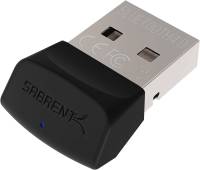
- UGREEN Bluetooth V4.0 Nano

- 8BitDo USB wireless adapter and 8BitDo USB wireless adapter 2 - Not a classic BT dongle, but connects a single compatible BT controller and simulates being a wired Xbox 360 controller (or a generic D-input pad) to the host computer. Solves for example most compatibility problems between WINE games and non-XInput controllers by “faking” a wired XInput controller to the Batocera system. Be aware that every adapter can only handle a single controller. So if you plan to play multiplayer, you need to buy and connect a dedicated adapter for every controller you want to play with.
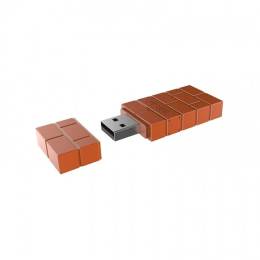
- BIGBIG WON Wireless Bluetooth Adapter - Not a classic BT dongle, but connects a single compatible BT controller and simulates being a wired D-input controller to the host computer

- TP-Link UB400 Bluetooth 4.0 Nano USB Adapter


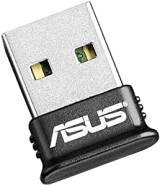
- ASUS BT500 USB Adapter - USB 2.0 port only


- HOCO UA18 USB Wireless BT 5.0 Adapter


Wi-Fi + Bluetooth


PCI-E cards
Here is the list of PCI-E cards that have been tested with Batocera.
This list is more tentative, as obviously there are too many PCI-E cards to properly test them all. It's best to assume that all modularly designed PCI-E network cards work out of the box, with the only exception being bleeding-edge cards or ones that use brand new technologies.
A list of Linux-compatible (not necessarily Batocera-compatible, but should be) Intel PCI-E cards can be found at https://www.intel.ca/content/www/ca/en/support/articles/000005511/wireless.html
- ThinkPenguin TPE-N300PCIED3 Penguin Wireless N Dual-Band PCIe Card for GNU/Linux Full Height Card works with Batocera v29 and higher

- ThinkPenguin TPE-N300PCIED2 Penguin Wireless N Dual-Band PCIe Card for GNU/Linux Low Profile Card works with Batocera v29 and higher

 Main chip: Intel AX200.

 Main chip: Intel AX210 or AX211.
 Main chip: Intel AX210, works both for bluetooth and wifi.
Tested on Odroid Go Advanced-based images
Wi-Fi
- Odroid Module 0 (MediaTek/Ralink RT5370N chipset)
- Edimax EW-7811Un

- Edimax EW-7612UAn V2

- UGREEN CM448 WiFi Adapter 650Mbps 5Ghz 2.4GHz Dual-Band USB

Wi-Fi + Bluetooth
These dongles are interesting because they let you use Wi-Fi and Bluetooth with a same dongle. If you have many USB ports it's not important, but on OGA where there is only one, it's the best choice. Don't forget you can play two players if plug a second controller on your OGA (via USB or supported BT dongle).
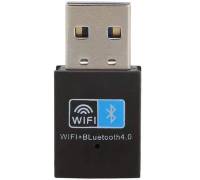 Main chip: RTL8723BU - BT4.0 dongle adapter, 150Mbps wireless WiFi network LAN card + Bluetooth V4.0 adapter for laptop desktop PC (working channels: 1-14)

Tested on Odroid N2-based images
Wi-Fi
- Realtek mini 8188 - Tested on a USB 2.0 port
- Odroid Module 0 (MediaTek/Ralink RT5370N chipset)
- Odroid Module 5BK (Realtek RTL8821CU)

Bluetooth
- CSR4.0 (BT 4.0)
Tested on Raspberry Pi images
Sometimes the integrated Wi-Fi chip embedded on a Raspberry Pi SBC isn't powerful enough for a sustainable connection, or its performance can be severely diminished by a case, in particular with metallic cases.
Wi-Fi
- Belkin F7D2101 v1 Surf & Share Wireless USB adapter

Compatible audio USB dongles
Audio driver support in Linux is usually much more straightforward than wifi and BT adapters. But, in case you need a cheap USB audio dongle, to replace a failing audio component on a motherboard, or if you want to separate the sound of the ball rolling on the playfoeld from the backglass music and sounds effets in Visual Pinball X you can get this USB audio dongle that has been verified on PC:
