Table of Contents
Sonic 3 A.I.R.
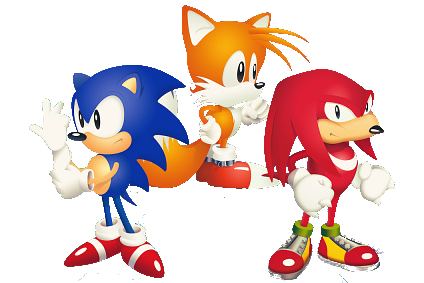
Sonic 3 A.I.R. (Angel Island Revisited) is a fan-made remaster of Sonic 3 & Knuckles by Eukaryot. It is built on a custom engine that reimplements the original Mega Drive game with widescreen support, smooth 60fps gameplay, enhanced visuals, quality-of-life features and mod support. It requires the original Sonic 3 & Knuckles ROM to run. This system scrapes metadata for the “ports” group(s) and loads the sonic3-air set from the currently selected theme, if available. Grouped with the “ports” group of systems.
Quick reference
- Emulator: Sonic 3 A.I.R.
- Folder:
roms/sonic3-air/ - Accepted ROM formats:
.s3air
BIOS
No Sonic 3 A.I.R. emulator in Batocera needs a BIOS file to run.
ROMs
You need the original Sonic 3 & Knuckles ROM file. The file must be named exactly Sonic_Knuckles_wSonic3.bin and placed in /userdata/roms/sonic3-air/.
Then create an empty file called Sonic 3 - Angel Island Revisited.s3air in the same directory.
The ROM file name must match exactly: Sonic_Knuckles_wSonic3.bin. Other names will not be recognized by the engine.
Directory structure
/userdata/roms/sonic3-air/
               ├── Sonic_Knuckles_wSonic3.bin
               └── Sonic 3 - Angel Island Revisited.s3air
Saves
Save location saves/sonic3-air/
Emulators
Sonic 3 A.I.R.
Standardized features available: sonic3-air.videomode, sonic3-air.padtokeyboard, sonic3-air.bezel, sonic3-air.bezel_stretch, sonic3-air.hud, sonic3-air.hud_corner, sonic3-air.bezel.tattoo, sonic3-air.bezel.tattoo_corner, sonic3-air.bezel.tattoo_file, sonic3-air.bezel.resize_tattoo
Controls
Sonic 3 A.I.R. has built-in gamepad support via SDL. The controls follow the standard Sonic layout:
| Gamepad button | Action |
|---|---|
| D-pad / Left analog stick | Move |
 A (South) A (South) | Jump |
 B (East) B (East) | Jump |
 X (West) X (West) | Jump |
| START | Pause |
Additional controls and button remapping can be configured in the in-game settings menu.
Troubleshooting
My game does not launch
- Make sure the ROM file is named exactly
Sonic_Knuckles_wSonic3.bin. - Verify that the ROM is a valid Sonic 3 & Knuckles combined ROM (not Sonic 3 alone or Sonic & Knuckles alone).
- The
.s3airlaunch file must exist in/userdata/roms/sonic3-air/.
Further troubleshooting
For further troubleshooting, refer to the generic support pages.