Table of Contents
Java 2 MicroEdition (J2ME)
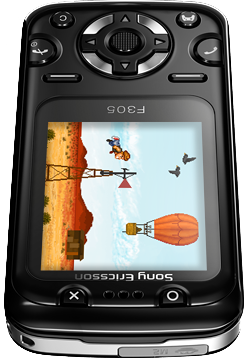
Java 2 Platform, Micro Edition (J2ME), later renamed Java ME, is a subset of the Java platform designed by Sun Microsystems for embedded and mobile devices. It was introduced in 1999 and became the dominant mobile gaming platform of the 2000s, powering games on billions of feature phones worldwide before the smartphone era.
J2ME games are built on two layers: CLDC (Connected Limited Device Configuration) providing the base VM for resource-constrained devices, and MIDP (Mobile Information Device Profile) providing UI, networking, and the Game API. Applications are called MIDlets and are packaged as .jar files. MIDP 2.0 (2002) introduced the dedicated Game API with GameCanvas, Sprite, TiledLayer, and LayerManager classes, enabling 2D game development.
J2ME games were distributed for a wide range of feature phones with varying screen resolutions:
- 128×128 — Nokia Series 40v2 (3220, 6020, 6230)
- 128×160 — Nokia 6101, Sony Ericsson K310
- 176×220 — Nokia Series 40v3, Sony Ericsson K750/W800i
- 240×320 (QVGA) — higher-end phones (Sony Ericsson K800, Nokia N95)
By 2013, over 3 billion Java ME-enabled phones were in circulation. Major publishers like Gameloft, EA Mobile, Digital Chocolate, and Glu Mobile produced hundreds of titles. Notable games include Diamond Rush, the Asphalt series, Prince of Persia mobile, Bounce Tales, Gravity Defied, and many more.
This system scrapes metadata for the “j2me” group(s) and loads the j2me set from the currently selected theme, if available.
Quick reference
- Emulator: RetroArch
- Folder:
/userdata/roms/j2me - Accepted ROM formats:
.jar
BIOS
No official BIOS files are tracked by Batocera's BIOS checker for J2ME.
The FreeJ2ME core requires freej2me-lr.jar to be placed in /userdata/bios/. This JAR acts as the Java ME runtime that the native libretro shim communicates with. Without it, the freej2me core will not function.
The SquirrelJME core does not require any BIOS files.
ROMs
Place your J2ME games in /userdata/roms/j2me.
J2ME games are packaged as .jar files (Java ARchive). Games were often distributed in multiple resolution variants for different phone models. If you have a choice, pick the variant that matches the screen resolution you want to emulate (e.g. 176×220 or 240×320 for best results).
Large collections of J2ME games can be found on the Internet Archive. Many games are abandonware as their publishers no longer exist or have stopped supporting mobile Java.
Emulators
RetroArch
RetroArch (formerly SSNES), is a ubiquitous frontend that can run multiple “cores”, which are essentially the emulators themselves. The most common cores use the libretro API, so that's why cores run in RetroArch in Batocera are referred to as “libretro: (core name)”. RetroArch aims to unify the feature set of all libretro cores and offer a universal, familiar interface independent of platform.
RetroArch configuration
RetroArch offers a Quick Menu accessed by pressing [HOTKEY] +  which can be used to alter various things like RetroArch and core options, and controller mapping. Most RetroArch related settings can be altered from Batocera's EmulationStation.
libretro: squirreljme
SquirrelJME is a Java ME 8 Virtual Machine written entirely in Java, aiming for 99.9% compatibility with the Java ME standard. It is the default emulator for J2ME in Batocera.
- No BIOS files required
- Supports older J2ME software designed for feature phones
- Pure Java implementation
libretro: freej2me
FreeJ2ME is a free, open-source J2ME emulator focused on game compatibility. The libretro core uses a native C shim that communicates via pipes with freej2me-lr.jar (the actual Java emulator).
- Requires
freej2me-lr.jarin/userdata/bios/ - Requires Java runtime on the host system
- Supports MIDP 1.0 and 2.0 games (2D)
- Games auto-scale to window size
- Per-game configuration (resolution, phone type) saved automatically
FreeJ2ME-Plus is an actively maintained fork with major improvements including preliminary M3G (Mobile 3D Graphics) support.
Controls
J2ME games were designed for phone keypads. The default mapping translates gamepad buttons to phone keys:
| Batocera RetroPad | Phone key |
|---|---|
| D-pad | Arrow keys / 2-4-6-8 numpad |
| | Soft key / Select / 5 |
 | Soft key / Fire |
[START] | Right soft key |
[SELECT] | Left soft key |
Some games may require specific phone key mappings. Use RetroArch's controller remapping to adjust controls per game if needed.
See also
- Nokia N-Gage — hybrid phone/gaming device that also ran J2ME games
- PlayStation Portable — competing handheld from the same era
Troubleshooting
FreeJ2ME: game doesn't launch
Make sure freej2me-lr.jar is in /userdata/bios/. Also verify that a Java runtime is available on the system. If the game still doesn't work, try SquirrelJME instead.
Game runs at wrong resolution
J2ME games were made for specific screen sizes. If the game looks stretched or cropped, check the core options for resolution settings. Some games need a specific resolution like 176×220 or 240×320 to display correctly.
Game controls don't work
J2ME games used various phone key layouts. If the default mapping doesn't work for a particular game, use RetroArch's Quick Menu to remap the controls.
Further troubleshooting
For further troubleshooting, refer to the generic support pages.