
Enterprise 64/128
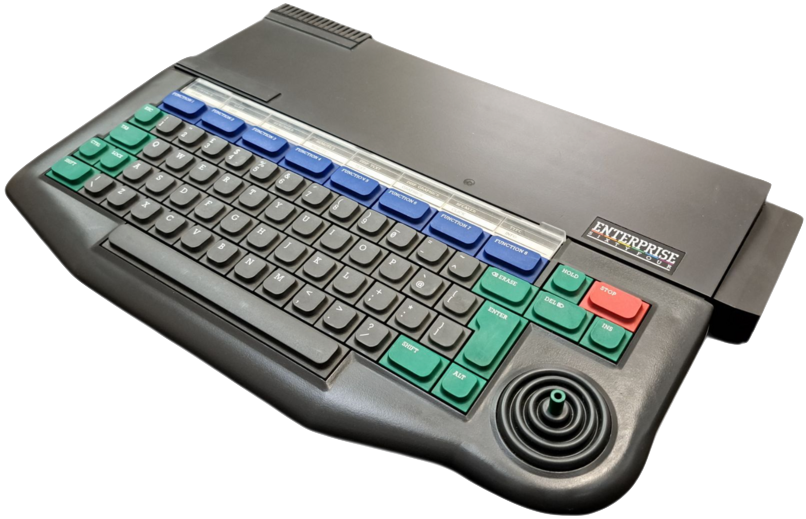
The Enterprise is a Zilog Z80-based home computer announced in 1983, but due to a series of delays, was not commercially available until 1985. It was mostly successful in the UK and Hungary, with its innovative use of custom ASICs for graphics and sound which took workload away from the main CPU.
Quick reference
- Folder:
/userdata/roms/enterprise - Accepted ROM formats:
.bas,.com,.img,.dsk,.tap,.dtf,.trn,.128,.cas,.cdt,.tzx,.zip
BIOS
CLK
| MD5 checksum | Share file path | Description |
|---|---|---|
e972fe42b398c9ff1d93ff014786aec6 | bios/Enterprise/basic21.bin | Required for CLK |
f36f24cbb87745fbd2714e4df881db09 | bios/Enterprise/exos21.bin | Required for CLK |
RetroArch (ep128emu-core)
The ep128emu-core provides built-in ROM images. No external BIOS files are required, although it can use custom ROM versions if placed in /userdata/bios/ep128emu/roms/.
| MD5 checksum | Share file path | Description |
|---|---|---|
f36f24cbb87745fbd2714e4df881db09 | bios/ep128emu/roms/exos21.rom | Expandible OS 2.1 |
e972fe42b398c9ff1d93ff014786aec6 | bios/ep128emu/roms/basic21.rom | BASIC Interpreter v2.1 |
ddff70c014d1958dc75378b6c9aab6f8 | bios/ep128emu/roms/exdos13.rom | Disk Controller v1.3 |
a68ebcbc73a4d2178d755b7755bf18fe | bios/ep128emu/roms/epfileio.rom | Direct File I/O |
Optional:
| MD5 checksum | Share file path | Description |
|---|---|---|
5ad3baaad3b5156d6b60b34229a676fb | bios/ep128emu/roms/exos20.rom | Enterprise 64 OS 2.0 |
8e18edce4a7acb2c33cc0ab18f988482 | bios/ep128emu/roms/basic20.rom | Enterprise 64 BASIC v2.0 |
55af78f877a21ca45eb2df68a74fcc60 | bios/ep128emu/roms/exos24uk.rom | Expandible OS 2.4 |
22167938f142c222f40992839aa21a06 | bios/ep128emu/roms/hun.rom | Hungarian language extension |
6af0402906944fd134004b85097c8524 | bios/ep128emu/roms/brd.rom | German language extension |
12cfc9c7e48c8a16c2e09edbd926d467 | bios/ep128emu/roms/epd19hft.rom | EP-DOS Hungarian |
228540b6be83ae2acd7569c8ff0f91d0 | bios/ep128emu/roms/zt19uk.rom | ZozoTools extension |
653daaf7b9b29c2c4e577f489580f247 | bios/ep128emu/roms/zt19hfnt.rom | ZozoTools Hungarian |
MAME
MAME requires the following BIOS files placed in /userdata/bios/:
| File | Description |
|---|---|
ep64.zip | Enterprise 64 BIOS |
ep128.zip | Enterprise 128 BIOS |
ep64_exdos.zip | Enterprise 64 with EXDOS floppy controller |
ROMs
Place your Enterprise ROMs in /userdata/roms/enterprise.
CLK only supports .bas, .com and .zip files. Disk and tape formats (.img, .dsk, .tap, .dtf, .trn, .128, .cas, .cdt, .tzx) require the ep128emu-core or MAME emulators.
Emulators
CLK
CLK aka Clock Signal is a multi-system emulator that is focused on low-latency emulation. It emulates Enterprise and a bunch of other old computers. CLK uses RGB video output for Enterprise.
RetroArch
RetroArch (formerly SSNES), is a ubiquitous frontend that can run multiple “cores”, which are essentially the emulators themselves. The most common cores use the libretro API, so that's why cores run in RetroArch in Batocera are referred to as “libretro: (core name)”. RetroArch aims to unify the feature set of all libretro cores and offer a universal, familiar interface independent of platform.
RetroArch configuration
RetroArch offers a Quick Menu accessed by pressing [HOTKEY] +  which can be used to alter various things like RetroArch and core options, and controller mapping. Most RetroArch related settings can be altered from Batocera's EmulationStation.
Standardized features available to all cores of this emulator: enterprise.videomode, enterprise.ratio, enterprise.smooth, enterprise.shaders, enterprise.pixel_perfect, enterprise.decoration, enterprise.game_translation
ES setting name batocera.conf key | Description ⇒ ES option key value |
|---|---|
| Settings that apply to all cores of this emulator | |
GRAPHICS BACKEND enterprise.gfxbackend | Choose your graphics rendering ⇒ OpenGL opengl, Vulkan vulkan. |
AUDIO LATENCY enterprise.audio_latency | Audio latency in milliseconds, turn it up if you hear crackles ⇒ 256 256, 192 192, 128 128, 64 64, 32 32, 16 16, 8 8. |
libretro: ep128emu-core
ep128emu-core is a highly accurate Enterprise 64/128 emulator ported to libretro. It also supports Videoton TVC emulation.
libretro: ep128emu-core configuration
ES setting name batocera.conf key | Description ⇒ ES option key value |
|---|---|
| Settings specific to the ep128emu-core | |
MAIN THREAD WAIT enterprise.ep128emu_wait | Main thread wait time in milliseconds ⇒ 0 0 (default) through higher values. |
HIGH SOUND QUALITY enterprise.ep128emu_sdhq | Enable high quality sound rendering ⇒ On 1 (default), Off 0. |
ACCELERATED SW FRAMEBUFFER enterprise.ep128emu_swfb | Use accelerated software framebuffer ⇒ Off 0 (default), On 1. |
ENABLE RESOLUTION CHANGES enterprise.ep128emu_useh | Allow dynamic resolution changes (requires restart) ⇒ On 1 (default), Off 0. |
BORDER LINES enterprise.ep128emu_brds | Number of border lines to keep when zooming in ⇒ 0 0 (default) through higher values. |
SYSTEM ROM VERSION enterprise.ep128emu_romv | Choose system ROM version (Enterprise only) ⇒ Original Original (default). |
ZOOM BUTTON enterprise.ep128emu_zoom | Assign zoom function to a button ⇒ R3 R3 (default). |
INFO BUTTON enterprise.ep128emu_info | Assign info overlay to a button ⇒ L3 L3 (default). |
AUTOFIRE BUTTON enterprise.ep128emu_afbt | Select which button gets autofire ⇒ None None (default). |
AUTOFIRE REPEAT DELAY enterprise.ep128emu_afsp | Set autofire repeat delay ⇒ 1 1 (default) through higher values. |
libretro: MAME
MAME can emulate the Enterprise 128 using the ep128 driver with the EXDOS floppy disk expansion (-exp exdos) enabled automatically. This allows loading disk images (.img, .dsk) directly.
MAME (standalone)
The standalone MAME emulator provides the same ep128 driver with EXDOS support as the libretro core, but as a separate application.
Controls
Most Enterprise games are played with the keyboard, or need a keyboard to start a game. There is a minimal pad2key configuration provided that emulates the internal joystick of the Enterprise, but if you use only a joystick, you will most probably have to remap the keyboard to play your game.
Troubleshooting
Further troubleshooting
For further troubleshooting, refer to the generic support pages.
- systems/enterprise.txt
- Last modified: 4 weeks ago
- by wizzard