
MSU-MD
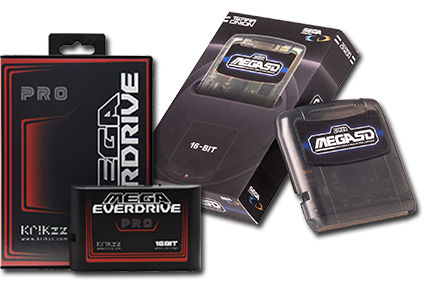
MSU-MD is the MegaCD driver for msu-like interfacing with CD hardware for MegaDrive/Genesis.
Quick reference
- Emulator: RetroArch
- Cores available: libretro: genesisplusgx
- Folder:
/userdata/roms/megadrive-msu(/userdata/roms/msu-mdup to Batocera 42) - Accepted ROM formats:
.md,.zip,.7z,.squashfs
BIOS
| MD5 checksum | Share file path | Description |
|---|---|---|
e66fa1dc5820d254611fdcdba0662372 | bios/bios_CD_E.bin | |
854b9150240a198070150e4566ae1290 | bios/bios_CD_U.bin | |
278a9397d192149e84e820ac621a8edd | bios/bios_CD_J.bin |
ROMs
Place your MSU-MD ROMs in /userdata/roms/megadrive-msu.
Emulators
RetroArch
RetroArch (formerly SSNES), is a ubiquitous frontend that can run multiple “cores”, which are essentially the emulators themselves. The most common cores use the libretro API, so that's why cores run in RetroArch in Batocera are referred to as “libretro: (core name)”. RetroArch aims to unify the feature set of all libretro cores and offer a universal, familiar interface independent of platform.
RetroArch configuration
RetroArch offers a Quick Menu accessed by pressing [HOTKEY] +  which can be used to alter various things like RetroArch and core options, and controller mapping. Most RetroArch related settings can be altered from Batocera's EmulationStation.
libretro: Genesisplusgx
A good all-around emulator. It can run Sega Genesis/Megadrive, Sega Master System, Sega/Mega CD and Game Gear games, but lacks 32X and Pico support. It is also the only emulator to support Lock-On technology, but can only be activated in RetroArch's Quick Menu ( [HOTKEY] + ) (correct as of v31). After resetting the game, Lock-On will be activated. By default, Batocera will reset this setting after exiting the game. This can be changed on a per-game basis by using RetroArch's Overrides. There are patches available for ROMs that set the flag to boot into their Lock-On ROMs instead, so this is not strictly required to play those games.
libretro: Genesisplusgx configuration
ES setting name batocera.conf_key | Description ⇒ ES option key_value |
|---|---|
| Settings that apply to all systems this core supports | |
REDUCE SPRITE FLICKERING global.gpgx_no_sprite_limit | The Megadrive/Genesis can only draw ~80 sprites per horizontal line at a time, and any more will be mitigated by rapidly flickering between them each frame. This setting removes that limitation. Some games rely on the limit to mask certain sprites, but is generally not noticeable when removed. ⇒ Off disabled, On enabled. |
| Settings specific to megadrive | |
NTSC FILTER megadrive.gpgx_blargg_filter_md | GenesisPlusGX has the Blarg NTSC filter built-in as a feature, unrelated to the shader selected within Batocera. This applies only to Megadrive/Genesis games. Batocera's or RetroArch's preset shaders can be used instead. ⇒ Off False, Composite (color bleeding + artifacts) composite, SVideo (color bleeding only) svideo, RGB (crisp image) rgb. |
SHOW LIGHTGUN CROSSHAIR megadrive.gun_cursor_md | Shows crosshairs for Menacer and Justifiers devices. This applies only to Megadrive/Genesis games. ⇒ Off disabled, On enabled. |
CONTROLLER 1 TYPE megadrive.controller1_md | The Megadrive/Genesis has many types of peripherals, notably a 6-button controller that some games require to be fully functional and a few lightguns. This is also where you would set your multi-tap on, if required. ⇒ Joypad Auto 1, Joypad 3 Button 257, Joypad 6 Button 513, Joypad 3 Button + 4-WayPlay 1025, Joypad 6 Button + 4-WayPlay 1281, Joypad 3 Button + Teamplayer 1537, Joypad 6 Button + Teamplayer 1793, Mouse 2. |
CONTROLLER 2 TYPE megadrive.controller2_md | Same as above but also has the Menacer Light Gun and Konami Justifiers available. ⇒ Joypad Auto 1, Joypad 3 Button 257, Joypad 6 Button 513, Joypad 3 Button + 4-WayPlay 1025, Joypad 6 Button + 4-WayPlay 1281, Joypad 3 Button + Teamplayer 1537, Joypad 6 Button + Teamplayer 1793, Mouse 2, Menacer Light Gun 516, Konami Justifiers 772. |
| Settings specific to mastersystem | |
NTSC FILTER mastersystem.gpgx_blargg_filter_ms | GenesisPlusGX has the Blarg NTSC filter built-in as a feature, unrelated to the shader selected within Batocera. This applies only to Master System games. Batocera's or RetroArch's preset shaders can be used instead. ⇒ Off False, Composite (color bleeding + artifacts) composite, SVideo (color bleeding only) svideo, RGB (crisp image) rgb. |
FM CHIP (YM2413) mastersystem.ym2413 | Enhanced sound output support for compatible games. ⇒ Autodetect automatic, Off disabled, On (forced) enabled. |
SHOW LIGHTGUN CROSSHAIR mastersystem.gun_cursor_ms | Shows crosshairs for Menacer and Justifiers devices. This applies only to Master System games. ⇒ Off disabled, On enabled. |
CONTROLLER 1 TYPE mastersystem.controller1_ms | Select 2 button controller, Lightgun or Multitap. ⇒ Joypad 2 Button 769, Joypad 2 Button + Master Tap 2049, Light Phaser 260, Paddle Control 261. |
CONTROLLER 2 TYPE mastersystem.controller2_ms | Select 2 button controller, Lightgun or Multitap. ⇒ Joypad 2 Button 769, Joypad 2 Button + Master Tap 2049, Light Phaser 260, Paddle Control 261. |
| Settings specific to gamegear | |
LCD GHOSTING FILTER gamegear.lcd_filter | Simulate LCD ghosting effects. ⇒ Off disabled, On enabled. |
EXTENDED SCREEN gamegear.gg_extra | Extend the game screen area like on a Master System. ⇒ Off disabled, On enabled. |
Controls
Here are the MSU-MD controls shown on a Batocera Retropad:

Troubleshooting
For further troubleshooting, refer to the generic support pages.
- systems/megadrive-msu.txt
- Last modified: 6 months ago
- by wizzard