
Sega SC-3000
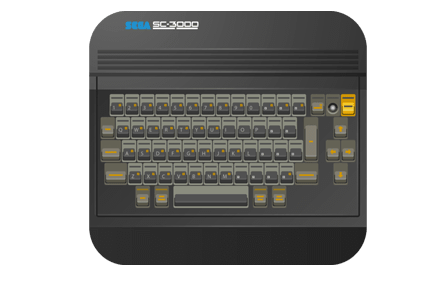
The Sega SC-3000 is a home computer manufactured by Sega, released in July 1983 in Japan — the same day as the SG-1000 console. While the SG-1000 was a dedicated game console, the SC-3000 is a full keyboard computer built on the same hardware base.
The SC-3000 features a Z80A CPU at 3.58 MHz, 2 KB RAM (expandable to 32 KB), 16 KB VRAM, a Texas Instruments TMS9918A VDP (256×192 pixels, 15 colors, 32 sprites), and a Texas Instruments SN76489 PSG sound chip (3 tone + 1 noise). It adds a full-sized keyboard, a cassette tape interface, and BASIC programming capability (via BASIC Level II/IIIA cartridges) to the SG-1000's gaming hardware.
Because the game hardware is identical to the SG-1000, all SG-1000 cartridges are compatible with the SC-3000. However, cassette tape software (.wav, .cas, .bit) is exclusive to the SC-3000.
The SC-3000 found its strongest market in Australia and New Zealand, where it was distributed by John Sands Electronics and became quite popular as an affordable home computer with a dedicated user community and magazine (“Sega Computer”). It was also sold in Japan and select European markets (France, Italy, Finland) but was never released in North America.
This system scrapes metadata for the “sc3000” group(s) and loads the sc-3000 set from the currently selected theme, if available.
Quick reference
- Core: MAME, libretro: MAME
- Folder:
/userdata/roms/sc3000 - Accepted ROM formats:
.bin,.sg,.wav,.cas,.bit,.zip,.7z
BIOS
No SC-3000 emulator in Batocera needs a BIOS file to run.
ROMs
Place your Sega SC-3000 ROMs in /userdata/roms/sc3000.
Software comes in two categories:
- Cartridges (.bin, .sg) — shared with the SG-1000 game library (Congo Bongo, Flicky, Girl's Garden, etc.)
- Cassette tapes (.wav, .cas, .bit) — exclusive to the SC-3000, including BASIC programs, educational software, and commercial tape releases
Emulators
MAME
MAME (Multiple Arcade Machine Emulator) is the primary emulator for the SC-3000. MAME is required (instead of Genesis Plus GX or Gearsystem cores used for SG-1000) because of the SC-3000's keyboard and cassette tape hardware.
RetroArch
RetroArch (formerly SSNES), is a ubiquitous frontend that can run multiple “cores”, which are essentially the emulators themselves. The most common cores use the libretro API, so that's why cores run in RetroArch in Batocera are referred to as “libretro: (core name)”. RetroArch aims to unify the feature set of all libretro cores and offer a universal, familiar interface independent of platform.
RetroArch configuration
RetroArch offers a Quick Menu accessed by pressing [HOTKEY] +  which can be used to alter various things like RetroArch and core options, and controller mapping. Most RetroArch related settings can be altered from Batocera's EmulationStation.
libretro: MAME
The libretro version of MAME can be used to emulate the SC-3000. It uses the same BIOS and ROM sets as the standalone version.
Controls
The SC-3000 has a full-sized keyboard (chiclet-style on early models, rubber keys on later revisions) and two DE-9 joystick ports (same as SG-1000). A physical USB keyboard is recommended for BASIC programming and cassette software.
See also
- Sega SG-1000 — the console counterpart, shares all cartridge games
- Sega Master System — successor console
- Sega AI Computer — Sega's later educational computer
Troubleshooting
Black screen on boot
Make sure the BIOS file (sc3000.zip) is in /userdata/bios/ and matches the MAME version. Use GAME SETTINGS > MISSING BIOS CHECK to verify.
SG-1000 cartridge won't load
SG-1000 cartridges should work on the SC-3000. If a cartridge doesn't load, try the SG-1000 system instead, which uses dedicated emulator cores with better game compatibility.
Further troubleshooting
For further troubleshooting, refer to the generic support pages.
- systems/sc3000.txt
- Last modified: 6 months ago
- by wizzard